

LLMs · OpenBMB

MiniCPM5 2B
- Parameters
- 2.5B
- Architecture
- Dense
- Max context
- 128K tokens
- License
- apache-2.0
- Released
- 2026-09
How to run it
- Install PocketPal AI (free) and open it.
- Tap the menu (☰), then Models, then + and Add from Hugging Face.
- Search for
openbmb/MiniCPM5-2B-GGUF, open it and downloadMiniCPM5-2B-Q4_K_M.gguf. - Tap Load next to the model and start a chat. It runs on the device, with no connection needed from then on.
- Install PocketPal AI (free) and open it.
- Tap the menu (☰), then Models, then + and Add from Hugging Face.
- Search for
openbmb/MiniCPM5-2B-GGUF, open it and downloadMiniCPM5-2B-Q4_K_M.gguf. - Tap Load next to the model and start a chat. It runs on the device, with no connection needed from then on.
On a mobile device
MiniCPM5 2B is too big for a device like yours: it needs more memory than the device has. Models that run on mobile devices.
Quantized files · GGUF
Works in LM Studio, llama.cpp, Jan and Ollama. No sign-in needed.
huggingface.co/openbmb/MiniCPM5-2B-GGUF (opens in a new tab)
ollama run hf.co/openbmb/MiniCPM5-2B-GGUFOriginal weights · Hugging Face
Full-precision files from OpenBMB, for fine-tuning, vLLM, Transformers.
Official repo · GitHub
Reference code, inference scripts and docs from OpenBMB. The weights themselves download from Hugging Face.
github.com/OpenBMB/MiniCPM (opens in a new tab)
git clone https://github.com/OpenBMB/MiniCPMApps that run MiniCPM5 2B
Our pick for each kind of computer, assuming the model fits in its memory. Pick your own GPU or device in the Model Finder for an exact answer.
| App | Type | Opens it as | Systems | Engine | Start |
|---|---|---|---|---|---|
| LM Studio | Desktop app | GGUF or MLX | macOSWindowsLinux | Open in LM Studio | |
| Ollama | CLI + API | GGUF from Hugging Face | macOSWindowsLinux |
|
|
| llama.cpp | CLI + API | GGUF | macOSWindowsLinux |
|
|
| Jan | Desktop app | GGUF or MLX | macOSWindowsLinux | Open in Jan | |
| MLX LM | CLI + API | MLX | macOS |
|
|
| vLLM | Server | Original weights | WSLWindowsLinux |
|
|
| SGLang | Server | Original weights | WSLWindowsLinux |
|
|
| Docker Model Runner | CLI + API | GGUF | macOSWindowsLinux |
|
|
 Lemonade |
Desktop app | GGUF | macOSWindowsLinux |
|
|
| Unsloth Desktop | Desktop app | GGUF or MLX | macOSWindowsLinux | Open in Unsloth Desktop | |
| Atomic Chat | Desktop app | GGUF or MLX | macOSWindowsLinux | Open in Atomic Chat | |
| Pi | Coding agent | GGUF or MLX | macOSWindowsLinux | ||
| Hermes Agent | Assistant | GGUF or MLX | macOSWSLWindowsLinux | ||
 OpenClaw |
Assistant | GGUF or MLX | macOSWSLWindowsLinux | ||
| OpenCode | Coding agent | GGUF or MLX | macOSWindowsLinux | ||
| Codex CLI | Coding agent | GGUF or MLX | macOSWSLWindowsLinux | ||
| OpenHands | Coding agent | GGUF or MLX | macOSWSLWindowsLinux | ||
| Zed | Coding agent | GGUF or MLX | macOSWindowsLinux | ||
| Cline | Coding agent | GGUF or MLX | macOSWindowsLinux | ||
| Open Interpreter | Coding agent | GGUF or MLX | macOSWindowsLinux | ||
| Goose | Coding agent | GGUF or MLX | macOSWindowsLinux | ||
 Aider |
Coding agent | GGUF or MLX | macOSWindowsLinux | ||
 Crush |
Coding agent | GGUF or MLX | macOSWindowsLinux | ||
| Qwen Code | Coding agent | GGUF or MLX | macOSWindowsLinux | ||
| Kilo Code | Coding agent | GGUF or MLX | macOSWindowsLinux | ||
| Open WebUI | Assistant | GGUF or MLX | macOSWindowsLinux | ||
| Khoj | Assistant | GGUF or MLX | macOSWindowsLinux | ||
 Letta |
Assistant | GGUF or MLX | macOSWindowsLinux | ||
 KoboldCpp |
Desktop app | GGUF | macOSWindowsLinux | Get KoboldCpp | |
 Text Generation WebUI |
Desktop app | GGUF | macOSWindowsLinux | Get Text Generation WebUI | |
 llamafile |
CLI + API | GGUF | macOSWindowsLinux | Get llamafile | |
 Msty Studio |
Desktop app | GGUF or MLX | macOSWindowsLinux | Open in Msty Studio | |
 Llama (macOS) |
Desktop app | GGUF | macOS | Open in Llama (macOS) | |
 RecurseChat |
Desktop app | GGUF | macOS | Open in RecurseChat | |
 Inferencer |
Desktop app | MLX | macOS | Get Inferencer | |
 node-llama-cpp |
Library | GGUF | macOSWindowsLinux | Get node-llama-cpp | |
 exo |
Server | MLX | macOSLinux | Get exo | |
 Continue |
Coding agent | GGUF or MLX | macOSWindowsLinux | ||
| SillyTavern | Assistant | GGUF or MLX | macOSWindowsLinux | ||
 LibreChat |
Assistant | GGUF or MLX | macOSWindowsLinux | ||
 Cherry Studio |
Assistant | GGUF or MLX | macOSWindowsLinux | ||
 Chatbox |
Assistant | GGUF or MLX | macOSWindowsLinux | ||
 PrivateGPT |
Assistant | GGUF or MLX | macOSWindowsLinux | ||
 PocketPal AI |
Mobile app | GGUF | iOSAndroid | App Store Google Play | |
 ChatterUI |
Mobile app | GGUF | Android | Download the APK | |
 LLM Farm |
Mobile app | GGUF | iOS |
Memory needed
Weights plus KV cache and runtime overhead. Leave a little extra free for the operating system and other apps. Try another context length.
| Quantization | Quality | Weights | Total at 8K context | Total at 32K context | Download |
|---|---|---|---|---|---|
Q2_K |
Low | 1.0 GB | 2.0 GB | 3.0 GB | GGUF files (opens in a new tab) |
Q3_K_M |
Low | 1.2 GB | 2.2 GB | 3.2 GB | GGUF files (opens in a new tab) |
Q4_K_M |
Good | 1.5 GB | 2.5 GB | 3.5 GB | GGUF (opens in a new tab) |
Q5_K_M |
High | 1.8 GB | 2.7 GB | 3.8 GB | GGUF files (opens in a new tab) |
Q6_K |
High | 2.1 GB | 3.0 GB | 4.1 GB | GGUF files (opens in a new tab) |
Q8_0 |
Very high | 2.7 GB | 3.6 GB | 4.7 GB | GGUF (opens in a new tab) |
F16 |
Full | 5.0 GB | 6.0 GB | 7.0 GB | GGUF (opens in a new tab) Original weights (opens in a new tab) |
Best hardware for MiniCPM5 2B
The least expensive GPU in our catalog that runs it without offloading is the Intel Arc A380 (launch price $139) at Q6_K.
| Quality | Hardware | Quant | Memory | Speed | Runs |
|---|---|---|---|---|---|
| 60Good quality (B) · 60 of 100: how capable the model is at F16, whatever it runs on. Match score 79/100 (quality, fit, speed and memory use) sets the ranking. | 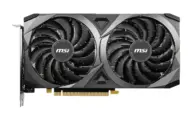 NVIDIA GeForce RTX 3060 12GB |
F16 | 6.6 GB / 12.0 GB | 41.1 tok/s | Runs great |
| 60Good quality (B) · 60 of 100: how capable the model is at F16, whatever it runs on. Match score 79/100 (quality, fit, speed and memory use) sets the ranking. | 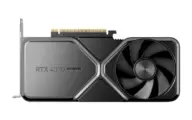 NVIDIA GeForce RTX 4070 SUPER |
F16 | 6.6 GB / 12.0 GB | 57.6 tok/s | Runs great |
| 60Good quality (B) · 60 of 100: how capable the model is at Q8_0, whatever it runs on. Match score 78/100 (quality, fit, speed and memory use) sets the ranking. | 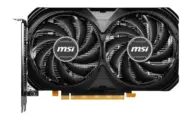 NVIDIA GeForce RTX 4060 |
Q8_0 | 4.0 GB / 8.0 GB | 67.5 tok/s | Runs great |
| 60Good quality (B) · 60 of 100: how capable the model is at F16, whatever it runs on. Match score 76/100 (quality, fit, speed and memory use) sets the ranking. | 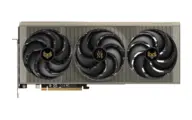 AMD Radeon RX 9070 XT |
F16 | 6.8 GB / 16.0 GB | 63.0 tok/s | Runs great |
| 60Good quality (B) · 60 of 100: how capable the model is at F16, whatever it runs on. Match score 76/100 (quality, fit, speed and memory use) sets the ranking. | 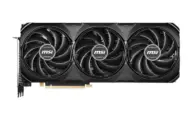 NVIDIA GeForce RTX 4070 Ti SUPER |
F16 | 6.8 GB / 16.0 GB | 76.8 tok/s | Runs great |
| 60Good quality (B) · 60 of 100: how capable the model is at F16, whatever it runs on. Match score 76/100 (quality, fit, speed and memory use) sets the ranking. | 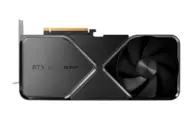 NVIDIA GeForce RTX 4080 SUPER |
F16 | 6.8 GB / 16.0 GB | 84.1 tok/s | Runs great |
| 60Good quality (B) · 60 of 100: how capable the model is at F16, whatever it runs on. Match score 76/100 (quality, fit, speed and memory use) sets the ranking. | 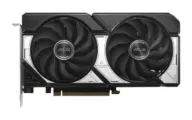 NVIDIA GeForce RTX 5060 Ti 16GB |
F16 | 6.8 GB / 16.0 GB | 51.2 tok/s | Runs great |
| 60Good quality (B) · 60 of 100: how capable the model is at F16, whatever it runs on. Match score 76/100 (quality, fit, speed and memory use) sets the ranking. | 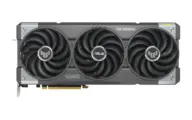 NVIDIA GeForce RTX 5070 Ti |
F16 | 6.8 GB / 16.0 GB | 102 tok/s | Runs great |
| 60Good quality (B) · 60 of 100: how capable the model is at F16, whatever it runs on. Match score 76/100 (quality, fit, speed and memory use) sets the ranking. | 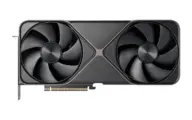 NVIDIA GeForce RTX 5080 |
F16 | 6.8 GB / 16.0 GB | 110 tok/s | Runs great |
| 60Good quality (B) · 60 of 100: how capable the model is at Q8_0, whatever it runs on. Match score 75/100 (quality, fit, speed and memory use) sets the ranking. | 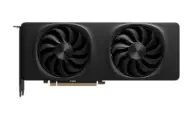 Intel Arc B580 |
Q8_0 | 4.2 GB / 12.0 GB | 86.4 tok/s | Runs great |
Estimates come from published hardware specs and our open formulas, not from running the model on your machine. Real speed varies with runtime, drivers and settings. Numbers marked “Measured” come from a linked benchmark.