

Decision models · Meta
Llama Guard 3 8B
- Task
- Safety and policy checks
- Returns
- Fixed labels
- Precision tier
- 68 / 100
- Size
- 8.0B
- Max input
- 128K tokens
- License
- llama3.1
- Released
- 2024-07
What it decides
- Returns
- safe or unsafe, plus MLCommons hazard codes (S1 to S14).
- Checks
- Prompts and replies
- Languages
- 8 languages
- Precision
- 68 / 100 · Widely used baseline guard; Ollama library build available.
- Clarity
- Fixed labels (12 of 15 clarity points)
- How it runs
- Writes a short answer · a small language model, so it runs in the same apps as LLMs.
- License
- llama3.1 (Custom (read the terms))
How to run it
Quickest · Ollama
One command downloads a ready-to-run version and starts a chat.
ollama run llama-guard3:8bQuantized files · GGUF
Works in LM Studio, llama.cpp, Jan and Ollama. No sign-in needed.
huggingface.co/mradermacher/Llama-Guard-3-8B-GGUF (opens in a new tab)
ollama run hf.co/mradermacher/Llama-Guard-3-8B-GGUFOriginal weights · Hugging Face
Full-precision files from Meta, for fine-tuning, vLLM, Transformers.
huggingface.co/meta-llama/Llama-Guard-3-8B (opens in a new tab)
Apps that run Llama Guard 3 8B
Our pick for each kind of computer, assuming the model fits in its memory. Pick your own GPU or Mac in the Model Finder for an exact answer.
Mac (Apple silicon)
Windows PC, NVIDIA GPU
Windows PC, AMD Radeon
Linux, NVIDIA GPU
Linux server, 80 GB+ GPUs
| App | Type | Opens it as | Systems | Engine | Start |
|---|---|---|---|---|---|
| LM Studio | Desktop app | GGUF | macOSWindowsLinux | Open in LM Studio | |
| Ollama | CLI + API | Ollama library | macOSWindowsLinux |
|
|
| llama.cpp | CLI + API | GGUF | macOSWindowsLinux |
|
|
| Jan | Desktop app | GGUF | macOSWindowsLinux | Open in Jan | |
| vLLM | Server | Original weights | WSLWindowsLinux |
|
|
| SGLang | Server | Original weights | WSLWindowsLinux |
|
|
| Docker Model Runner | CLI + API | GGUF | macOSWindowsLinux |
|
|
| Lemonade | Desktop app | GGUF | macOSWindowsLinux |
|
|
| Unsloth Desktop | Desktop app | GGUF | macOSWindowsLinux | Open in Unsloth Desktop | |
| Atomic Chat | Desktop app | GGUF | macOSWindowsLinux | Open in Atomic Chat | |
| LocalAI | Server | GGUF | macOSWSLWindowsLinux | Get LocalAI | |
| Sentence Transformers | Library | Original weights | macOSWindowsLinux | Get Sentence Transformers |
Memory and speed
Each quantization on an NVIDIA GeForce RTX 4090, for one decision on a 512-token input. The best hardware table below covers other GPUs and Macs.
| Format | Memory needed | Time per decision | Decisions per second | Quality | Download |
|---|---|---|---|---|---|
Q4_K_M | 5.8 GB | 112 ms | 8.9/s | 64Good quality (B) · 64 of 100: how capable the model is at Q4_K_M, whatever it runs on. Match score 80/100 (quality, fit, speed and memory use) sets the ranking. | GGUF (opens in a new tab) |
Q5_K_M | 6.6 GB | 120 ms | 8.3/s | 65Good quality (B) · 65 of 100: how capable the model is at Q5_K_M, whatever it runs on. Match score 80/100 (quality, fit, speed and memory use) sets the ranking. | GGUF (opens in a new tab) |
Q6_K | 7.5 GB | 129 ms | 7.7/s | 67Good quality (B) · 67 of 100: how capable the model is at Q6_K, whatever it runs on. Match score 80/100 (quality, fit, speed and memory use) sets the ranking. | GGUF (opens in a new tab) |
Q8_0 | 9.4 GB | 150 ms | 6.7/s | 68Good quality (B) · 68 of 100: how capable the model is at Q8_0, whatever it runs on. Match score 79/100 (quality, fit, speed and memory use) sets the ranking. | GGUF (opens in a new tab) |
F16 | 16.9 GB | 239 ms | 4.2/s | 68Good quality (B) · 68 of 100: how capable the model is at F16, whatever it runs on. Match score 77/100 (quality, fit, speed and memory use) sets the ranking. | GGUF (opens in a new tab) Original weights (opens in a new tab) |
Best hardware for Llama Guard 3 8B
The least expensive GPU in our catalog that runs it without offloading is the Intel Arc A580 (launch price $179) at Q4_K_M.
| Quality | Hardware | Quant | Memory | Time per decision | Runs |
|---|---|---|---|---|---|
| 68Good quality (B) · 68 of 100: how capable the model is at Q8_0, whatever it runs on. Match score 82/100 (quality, fit, speed and memory use) sets the ranking. | 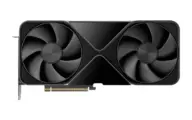 NVIDIA RTX PRO 6000 Blackwell NVIDIA RTX PRO 6000 Blackwell |
Q8_0 | 14.2 GB / 96.0 GB | 93 ms | Runs great |
| 68Good quality (B) · 68 of 100: how capable the model is at Q8_0, whatever it runs on. Match score 82/100 (quality, fit, speed and memory use) sets the ranking. | 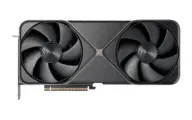 NVIDIA GeForce RTX 5090 NVIDIA GeForce RTX 5090 |
Q8_0 | 11.0 GB / 32.0 GB | 102 ms | Runs great |
| 64Good quality (B) · 64 of 100: how capable the model is at Q4_K_M, whatever it runs on. Match score 80/100 (quality, fit, speed and memory use) sets the ranking. | 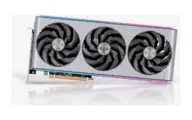 AMD Radeon RX 7900 XTX AMD Radeon RX 7900 XTX |
Q4_K_M | 7.0 GB / 24.0 GB | 105 ms | Runs great |
| 67Good quality (B) · 67 of 100: how capable the model is at Q6_K, whatever it runs on. Match score 80/100 (quality, fit, speed and memory use) sets the ranking. | 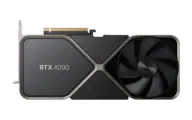 NVIDIA GeForce RTX 4090 NVIDIA GeForce RTX 4090 |
Q6_K | 8.7 GB / 24.0 GB | 129 ms | Runs great |
| 67Good quality (B) · 67 of 100: how capable the model is at Q6_K, whatever it runs on. Match score 78/100 (quality, fit, speed and memory use) sets the ranking. | 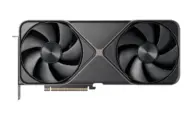 NVIDIA GeForce RTX 5080 NVIDIA GeForce RTX 5080 |
Q6_K | 8.3 GB / 16.0 GB | 164 ms | Runs well |
| 67Good quality (B) · 67 of 100: how capable the model is at Q6_K, whatever it runs on. Match score 78/100 (quality, fit, speed and memory use) sets the ranking. | 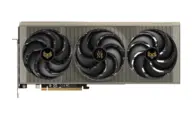 AMD Radeon RX 9070 XT AMD Radeon RX 9070 XT |
Q6_K | 8.3 GB / 16.0 GB | 175 ms | Runs well |
| 67Good quality (B) · 67 of 100: how capable the model is at Q6_K, whatever it runs on. Match score 78/100 (quality, fit, speed and memory use) sets the ranking. | 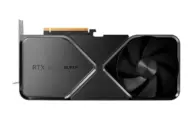 NVIDIA GeForce RTX 4080 SUPER NVIDIA GeForce RTX 4080 SUPER |
Q6_K | 8.3 GB / 16.0 GB | 190 ms | Runs well |
| 67Good quality (B) · 67 of 100: how capable the model is at Q6_K, whatever it runs on. Match score 77/100 (quality, fit, speed and memory use) sets the ranking. | 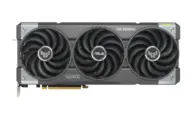 NVIDIA GeForce RTX 5070 Ti NVIDIA GeForce RTX 5070 Ti |
Q6_K | 8.3 GB / 16.0 GB | 197 ms | Runs well |
| 67Good quality (B) · 67 of 100: how capable the model is at Q6_K, whatever it runs on. Match score 77/100 (quality, fit, speed and memory use) sets the ranking. | 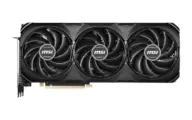 NVIDIA GeForce RTX 4070 Ti SUPER NVIDIA GeForce RTX 4070 Ti SUPER |
Q6_K | 8.3 GB / 16.0 GB | 218 ms | Runs well |
| 67Good quality (B) · 67 of 100: how capable the model is at Q6_K, whatever it runs on. Match score 77/100 (quality, fit, speed and memory use) sets the ranking. | 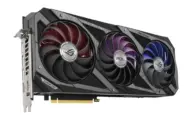 NVIDIA GeForce RTX 3090 NVIDIA GeForce RTX 3090 |
Q6_K | 8.7 GB / 24.0 GB | 225 ms | Runs well |
Estimates come from published hardware specs and our open formulas, not from running the model on your machine. Real speed varies with runtime, drivers and settings. Numbers marked “Measured” come from a linked benchmark.