

Decision models · Fastino
GLiNER2 Base v1
- Task
- Classifying and extracting
- Returns
- Labeled spans or fields
- Precision tier
- 68 / 100
- Size
- 210M
- Max input
- 2K tokens
- License
- apache-2.0
- Released
- 2025-07
What it decides
- Returns
- Entities, labels and structured fields from one schema, in one pass.
- Checks
- Entity extraction, classification and structured fields
- Languages
- English
- Precision
- 68 / 100 · Unifies extraction and classification; runs on a CPU (arXiv 2507.18546).
- Clarity
- Labeled spans or fields (13 of 15 clarity points)
- How it runs
- Labels spans or picks labels · reads the input once and writes nothing, so it answers in milliseconds.
- License
- apache-2.0 (Open (Apache, MIT))
How to run it
Original weights · Hugging Face
Full-precision files from Fastino, for Transformers, Sentence Transformers, Text Embeddings Inference, Infinity or vLLM.
Apps that run GLiNER2 Base v1
Our pick for each kind of computer, assuming the model fits in its memory. Pick your own GPU or Mac in the Model Finder for an exact answer.
Mac (Apple silicon)
Windows PC, NVIDIA GPU
Windows PC, AMD Radeon
Linux, NVIDIA GPU
Linux server, 80 GB+ GPUs
| App | Type | Opens it as | Systems | Engine | Start |
|---|---|---|---|---|---|
| GLiNER | Library | Original weights | macOSWindowsLinux |
|
Memory and speed
Each precision on an NVIDIA GeForce RTX 4090, for one decision on a 256-token input. The best hardware table below covers other GPUs and Macs.
| Format | Memory needed | Time per decision | Decisions per second | Quality | Download |
|---|---|---|---|---|---|
Q8_0 | 0.7 GB | 5.0 ms | 201/s | 68Good quality (B) · 68 of 100: how capable the model is at Q8_0, whatever it runs on. Match score 83/100 (quality, fit, speed and memory use) sets the ranking. | All files (opens in a new tab) |
F16 | 0.9 GB | 5.1 ms | 195/s | 68Good quality (B) · 68 of 100: how capable the model is at F16, whatever it runs on. Match score 83/100 (quality, fit, speed and memory use) sets the ranking. | Original weights (opens in a new tab) |
Best hardware for GLiNER2 Base v1
The least expensive GPU in our catalog that runs it without offloading is the Intel Arc A380 (launch price $139) at F16.
| Quality | Hardware | Quant | Memory | Time per decision | Runs |
|---|---|---|---|---|---|
| 68Good quality (B) · 68 of 100: how capable the model is at F16, whatever it runs on. Match score 83/100 (quality, fit, speed and memory use) sets the ranking. | 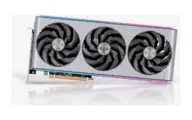 AMD Radeon RX 7900 XTX AMD Radeon RX 7900 XTX |
F16 | 1.1 GB / 24.0 GB | 4.9 ms | Runs great |
| 68Good quality (B) · 68 of 100: how capable the model is at F16, whatever it runs on. Match score 83/100 (quality, fit, speed and memory use) sets the ranking. | 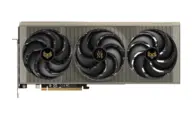 AMD Radeon RX 9070 XT AMD Radeon RX 9070 XT |
F16 | 1.1 GB / 16.0 GB | 5.1 ms | Runs great |
| 68Good quality (B) · 68 of 100: how capable the model is at F16, whatever it runs on. Match score 83/100 (quality, fit, speed and memory use) sets the ranking. | 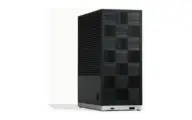 AMD Ryzen AI Max+ 395 (128 GB) AMD Ryzen AI Max+ 395 (128 GB) |
F16 | 1.1 GB / 96.0 GB | 5.8 ms | Runs great |
| 68Good quality (B) · 68 of 100: how capable the model is at F16, whatever it runs on. Match score 83/100 (quality, fit, speed and memory use) sets the ranking. |  Apple M1 (16 GB) Apple M1 (16 GB) |
F16 | 1.1 GB / 10.7 GB | 46 ms | Runs great |
| 68Good quality (B) · 68 of 100: how capable the model is at F16, whatever it runs on. Match score 83/100 (quality, fit, speed and memory use) sets the ranking. | 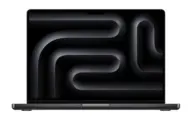 Apple M1 Max (64 GB) Apple M1 Max (64 GB) |
F16 | 1.1 GB / 48.0 GB | 14 ms | Runs great |
| 68Good quality (B) · 68 of 100: how capable the model is at F16, whatever it runs on. Match score 83/100 (quality, fit, speed and memory use) sets the ranking. |  Apple M2 Ultra (192 GB) Apple M2 Ultra (192 GB) |
F16 | 1.1 GB / 144 GB | 8.0 ms | Runs great |
| 68Good quality (B) · 68 of 100: how capable the model is at F16, whatever it runs on. Match score 83/100 (quality, fit, speed and memory use) sets the ranking. |  Apple M3 Ultra (256 GB) Apple M3 Ultra (256 GB) |
F16 | 1.1 GB / 192 GB | 7.8 ms | Runs great |
| 68Good quality (B) · 68 of 100: how capable the model is at F16, whatever it runs on. Match score 83/100 (quality, fit, speed and memory use) sets the ranking. | Apple M3 Ultra (512 GB) |
F16 | 1.1 GB / 384 GB | 7.8 ms | Runs great |
| 68Good quality (B) · 68 of 100: how capable the model is at F16, whatever it runs on. Match score 83/100 (quality, fit, speed and memory use) sets the ranking. |  Apple M4 (16 GB) Apple M4 (16 GB) |
F16 | 1.1 GB / 10.7 GB | 29 ms | Runs great |
| 68Good quality (B) · 68 of 100: how capable the model is at F16, whatever it runs on. Match score 83/100 (quality, fit, speed and memory use) sets the ranking. | Apple M4 (24 GB) |
F16 | 1.1 GB / 16.1 GB | 29 ms | Runs great |
Estimates come from published hardware specs and our open formulas, not from running the model on your machine. Real speed varies with runtime, drivers and settings. Numbers marked “Measured” come from a linked benchmark.