

Raon-1 mini Preview (30B-A4B) on NVIDIA RTX PRO 6000 Blackwell

Can the NVIDIA RTX PRO 6000 Blackwell run Raon-1 mini Preview (30B-A4B)?
Yes, it runs great
Runs great. At F16 it needs about 63.0 GB of 96.0 GB usable, with an estimated speed of 78.7 tok/s.
- Best quant
F16- Generation speed
- 78.7 tok/s
- Prompt processing
- 20,930 tok/s
- First token (1K prompt)
- 0.3 s
- Largest safe context
- 256K
Best app to run it on the NVIDIA RTX PRO 6000 Blackwell
On Windows
- The full model fits in GPU memory at 8-bit, so it can batch many requests: best for serving a team or an app.
- On Windows it runs through WSL2.
vllm serve KRAFTON/Raon-1-mini-previewOn Linux
- The full model fits in GPU memory at 8-bit, so it can batch many requests: best for serving a team or an app.
vllm serve KRAFTON/Raon-1-mini-preview


Download Raon-1 mini Preview (30B-A4B)
Original weights · Hugging Face
Full-precision files from KRAFTON, for fine-tuning, vLLM, Transformers.
huggingface.co/KRAFTON/Raon-1-mini-preview (opens in a new tab)
Official repo · GitHub
Reference code, inference scripts and docs from KRAFTON. The weights themselves download from Hugging Face.
github.com/krafton-ai/Raon-1-mini-preview (opens in a new tab)
git clone https://github.com/krafton-ai/Raon-1-mini-previewHow it’s rated
Match score
To order lists, each result also gets a match score out of 100 from four parts. It favors the most capable model that still runs well.
| Model quality | 39.6 / 45 | |
|---|---|---|
| Memory fit | 25.0 / 25 | |
| Speed | 15.0 / 15 | |
| Memory use | 15.0 / 15 | |
| Match score | 94.6 / 100 |
Every quantization on the NVIDIA RTX PRO 6000 Blackwell
| Quant | Memory needed | Available | Speed | Runs | Quality | Download |
|---|---|---|---|---|---|---|
Q2_K | 17.0 GB | 96.0 GB | 232 tok/s | Runs great | 61Good quality (B) · 61 of 100: how capable the model is at Q2_K, whatever it runs on. Match score 71/100 (quality, fit, speed and memory use) sets the ranking. | All files (opens in a new tab) |
Q3_K_M | 19.6 GB | 96.0 GB | 210 tok/s | Runs great | 73Great quality (A) · 73 of 100: how capable the model is at Q3_K_M, whatever it runs on. Match score 77/100 (quality, fit, speed and memory use) sets the ranking. | All files (opens in a new tab) |
Q4_K_M | 23.0 GB | 96.0 GB | 188 tok/s | Runs great | 83Great quality (A) · 83 of 100: how capable the model is at Q4_K_M, whatever it runs on. Match score 83/100 (quality, fit, speed and memory use) sets the ranking. | All files (opens in a new tab) |
Q5_K_M | 25.9 GB | 96.0 GB | 170 tok/s | Runs great | 85Excellent quality (A+) · 85 of 100: how capable the model is at Q5_K_M, whatever it runs on. Match score 84/100 (quality, fit, speed and memory use) sets the ranking. | All files (opens in a new tab) |
Q6_K | 29.1 GB | 96.0 GB | 156 tok/s | Runs great | 87Excellent quality (A+) · 87 of 100: how capable the model is at Q6_K, whatever it runs on. Match score 86/100 (quality, fit, speed and memory use) sets the ranking. | All files (opens in a new tab) |
Q8_0 | 36.0 GB | 96.0 GB | 131 tok/s | Runs great | 88Excellent quality (A+) · 88 of 100: how capable the model is at Q8_0, whatever it runs on. Match score 88/100 (quality, fit, speed and memory use) sets the ranking. | All files (opens in a new tab) |
F16 | 63.0 GB | 96.0 GB | 78.7 tok/s | Runs great | 88Excellent quality (A+) · 88 of 100: how capable the model is at F16, whatever it runs on. Match score 94/100 (quality, fit, speed and memory use) sets the ranking. | Original weights (opens in a new tab) |
Memory figures assume 8K of context. Longer conversations or documents grow the KV cache.
Other hardware that runs it
-
88Excellent quality (A+) · 88 of 100: how capable the model is at Q8_0, whatever it runs on. Match score 94/100 (quality, fit, speed and memory use) sets the ranking.
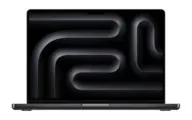 Apple M1 Max (64 GB)
-
88Excellent quality (A+) · 88 of 100: how capable the model is at Q8_0, whatever it runs on. Match score 94/100 (quality, fit, speed and memory use) sets the ranking.
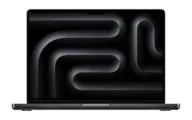 Apple M4 Max (64 GB)
-
87Excellent quality (A+) · 87 of 100: how capable the model is at Q6_K, whatever it runs on. Match score 94/100 (quality, fit, speed and memory use) sets the ranking.
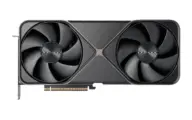 NVIDIA GeForce RTX 5090
-
87Excellent quality (A+) · 87 of 100: how capable the model is at Q6_K, whatever it runs on. Match score 94/100 (quality, fit, speed and memory use) sets the ranking. Apple M4 Pro (48 GB)
-
83Great quality (A) · 83 of 100: how capable the model is at Q4_K_M, whatever it runs on. Match score 92/100 (quality, fit, speed and memory use) sets the ranking.
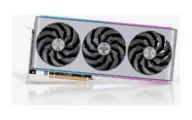 AMD Radeon RX 7900 XTX
-
83Great quality (A) · 83 of 100: how capable the model is at Q4_K_M, whatever it runs on. Match score 92/100 (quality, fit, speed and memory use) sets the ranking.
 NVIDIA GeForce RTX 3090
Estimates come from published hardware specs and our open formulas, not from running the model on your machine. Real speed varies with runtime, drivers and settings. Numbers marked “Measured” come from a linked benchmark.