

DynaGuard 1.7B on NVIDIA RTX PRO 6000 Blackwell
Can the NVIDIA RTX PRO 6000 Blackwell run DynaGuard 1.7B?
Yes, it runs well
Runs well. At Q4_K_M it needs about 6.9 GB of 96.0 GB usable and makes one decision in about 163 ms.
- Best quant
Q4_K_M- Time per decision
- 163 ms
- Decisions per second
- 6.1/s
- Input assumed
- 512 tokens
- Returns
- Reasoned verdict
Best app to run it on the NVIDIA RTX PRO 6000 Blackwell
On Windows
- Point-and-click: search, download and chat in one window.
Download DynaGuard 1.7B
Recommended for the NVIDIA RTX PRO 6000 Blackwell: Q4_K_M. Every other quantization has its own download link in the table below.
Quantized files · GGUF
Works in LM Studio, llama.cpp, Jan and Ollama. No sign-in needed.
Download the Q4_K_M file (opens in a new tab)
huggingface.co/mradermacher/DynaGuard-1.7B-GGUF (opens in a new tab)
ollama run hf.co/mradermacher/DynaGuard-1.7B-GGUF:Q4_K_MOriginal weights · Hugging Face
Full-precision files from University of Maryland, for fine-tuning, vLLM, Transformers.
huggingface.co/tomg-group-umd/DynaGuard-1.7B (opens in a new tab)
How it’s rated
Match score
To order lists, each result also gets a match score out of 100 from four parts. It favors the most capable model that still runs well.
| Precision | 29.9 / 45 | |
|---|---|---|
| Memory fit | 25.0 / 25 | |
| Speed | 11.7 / 15 | |
| Clarity | 10.0 / 15 | |
| Match score | 76.7 / 100 |
Every quantization on the NVIDIA RTX PRO 6000 Blackwell
| Quant | Memory needed | Available | Time per decision | Runs | Quality | Download |
|---|---|---|---|---|---|---|
Q4_K_M | 6.9 GB | 96.0 GB | 163 ms | Runs well | 66Good quality (B) · 66 of 100: how capable the model is at Q4_K_M, whatever it runs on. Match score 76/100 (quality, fit, speed and memory use) sets the ranking. | GGUF (opens in a new tab) |
Q5_K_M | 7.1 GB | 96.0 GB | 194 ms | Runs well | 67Good quality (B) · 67 of 100: how capable the model is at Q5_K_M, whatever it runs on. Match score 76/100 (quality, fit, speed and memory use) sets the ranking. | GGUF (opens in a new tab) |
Q6_K | 7.3 GB | 96.0 GB | 228 ms | Runs well | 69Good quality (B) · 69 of 100: how capable the model is at Q6_K, whatever it runs on. Match score 76/100 (quality, fit, speed and memory use) sets the ranking. | GGUF (opens in a new tab) |
Q8_0 | 7.8 GB | 96.0 GB | 306 ms | Runs well | 70Great quality (A) · 70 of 100: how capable the model is at Q8_0, whatever it runs on. Match score 75/100 (quality, fit, speed and memory use) sets the ranking. | GGUF (opens in a new tab) |
F16 | 9.7 GB | 96.0 GB | 645 ms | Slow | 70Great quality (A) · 70 of 100: how capable the model is at F16, whatever it runs on. Match score 72/100 (quality, fit, speed and memory use) sets the ranking. | GGUF (opens in a new tab) Original weights (opens in a new tab) |
Times are for one request with a 512-token input and about 160 tokens written. Batching servers process many requests at once.
Other hardware that runs it
-
66Good quality (B) · 66 of 100: how capable the model is at Q4_K_M, whatever it runs on. Match score 76/100 (quality, fit, speed and memory use) sets the ranking.
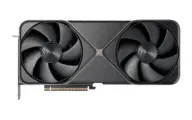 NVIDIA GeForce RTX 5090
-
66Good quality (B) · 66 of 100: how capable the model is at Q4_K_M, whatever it runs on. Match score 73/100 (quality, fit, speed and memory use) sets the ranking.
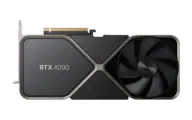 NVIDIA GeForce RTX 4090
-
66Good quality (B) · 66 of 100: how capable the model is at Q4_K_M, whatever it runs on. Match score 73/100 (quality, fit, speed and memory use) sets the ranking.
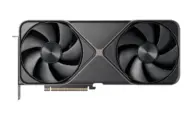 NVIDIA GeForce RTX 5080
-
66Good quality (B) · 66 of 100: how capable the model is at Q4_K_M, whatever it runs on. Match score 73/100 (quality, fit, speed and memory use) sets the ranking.
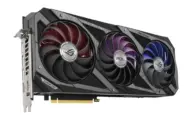 NVIDIA GeForce RTX 3090
-
66Good quality (B) · 66 of 100: how capable the model is at Q4_K_M, whatever it runs on. Match score 73/100 (quality, fit, speed and memory use) sets the ranking.
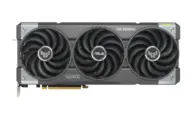 NVIDIA GeForce RTX 5070 Ti
-
66Good quality (B) · 66 of 100: how capable the model is at Q4_K_M, whatever it runs on. Match score 73/100 (quality, fit, speed and memory use) sets the ranking.
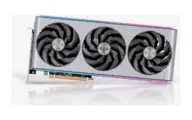 AMD Radeon RX 7900 XTX
Estimates come from published hardware specs and our open formulas, not from running the model on your machine. Real speed varies with runtime, drivers and settings. Numbers marked “Measured” come from a linked benchmark.